
The Philippine e-notary platform
A clearer path.
For every document.
Your Philippine e-notary workspace. Prepare documents, connect with attorneys and bring every appointment into focus.
Document preparation. Attorney coordination. All in one place.
Every detail.
In good order.
A little preparation. A clearer next step.
A little clarity goes a long way.
Less scattered.
More considered.
Documents have details. Appointments have requirements. Fidescript brings preparation and coordination into one organized journey, so the next step is easier to understand.
A place for preparation
Review PDFs and keep document revisions together.
A clearer handoff
Request appointments with the required details in place.
Defined access
Separate checks for accounts, identity and attorney eligibility.
The journey
One step.
Then the next.
From creating your account to coordinating with an attorney, every step has a place. Here’s how your document journey comes together.
- 01
Make yourself at home.
Create a customer or attorney account. Your role shapes your workspace, with identity and professional checks handled separately.
↗ Your account - 02
Put the details in order.
Explore PDF preparation, review annotations and organize your draft for an appointment. Preview the workflow with sample documents.
↗ Document preparation - 03
Find the next opening.
Meet the booking requirements, find an eligible attorney and request an available appointment for review.
↗ Appointment coordination - 04
Keep everyone in step.
Your assigned attorney reviews the request and preparation details. Formal notarization has separate legal and service requirements.
↗ Attorney review
For customers
Your documents.
A little more organized.
Give every draft a place. Review a PDF, save your preparation and follow appointment requests from your workspace.
Create a customer account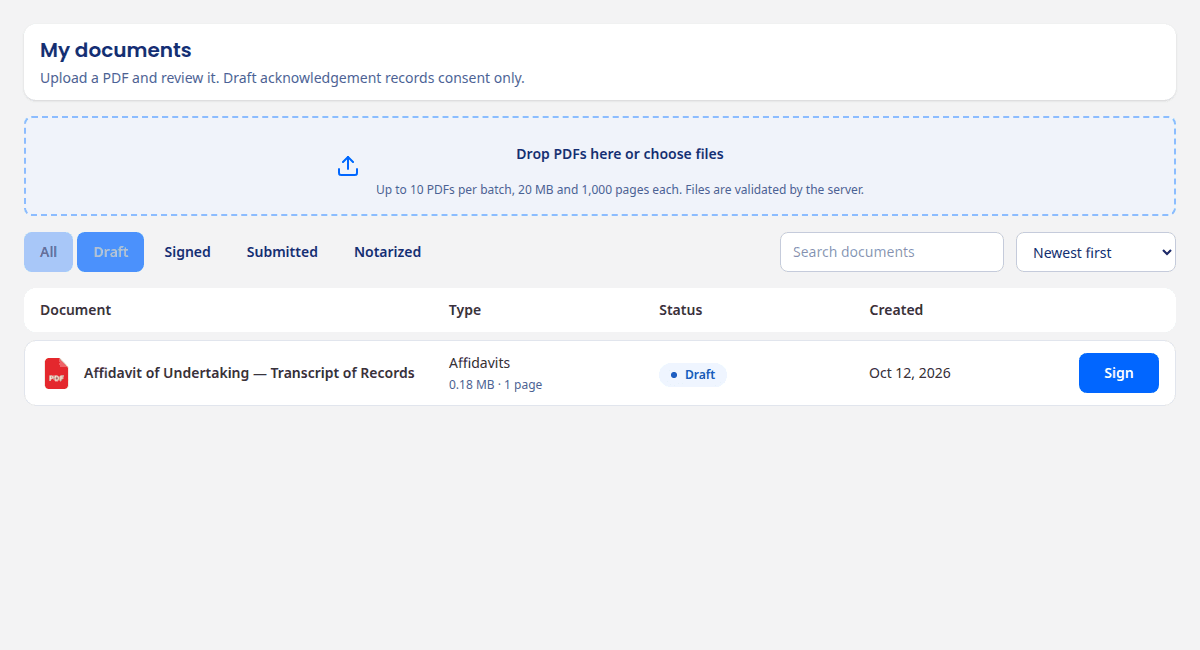
PDF upload & preparation
Document version history
Appointment requests & status
Explore the document journey with sample files in the preview workspace.
For attorneys
Make room for
what matters.
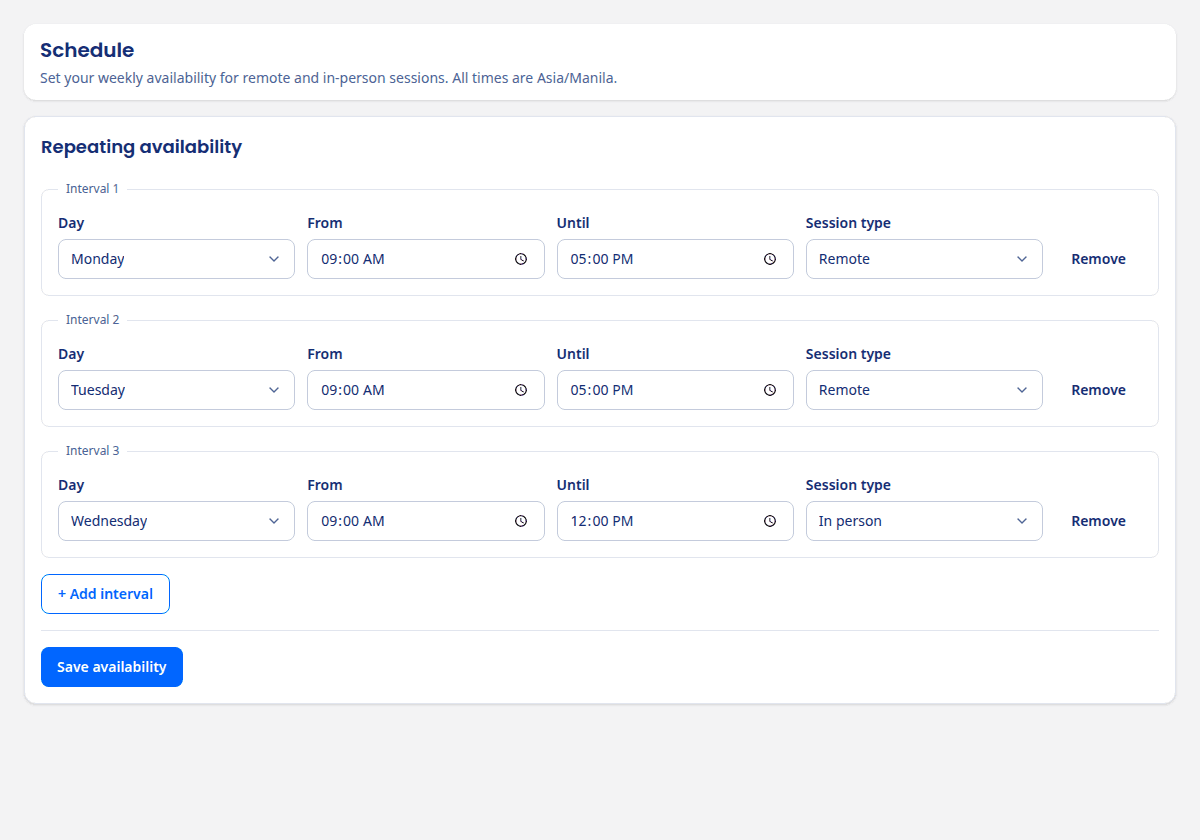
A dedicated professional workspace for credential submission, availability and appointment review.
- Submit credentials for internal ENP review
- Set availability when eligible
- Review assigned appointment requests
Account creation and internal approval do not issue or independently verify a Court commission.
Trust starts with clarity
Care for the details.
Respect for your information.
Your information deserves careful handling. Defined document access, account permissions and activity records support a more considered document journey.
Read our approach to securityWhich services can I use on Fidescript?
Fidescript brings account management, document preparation, attorney onboarding and appointment coordination into one Philippine e-notary workspace. Legally effective electronic notarization, signing, sealing and certified release are not currently offered. PDF preparation is restricted to the configured preview environment using sample documents.
Which account should I create?
Choose Customer to organize your documents and appointment requests. Choose Attorney to access the professional onboarding journey. Attorney registration creates an account only; it does not grant ENP approval or a Court commission.
What do I need to request an appointment?
Booking checks identity eligibility, an owned acknowledged document, and an attorney with recorded internal approval and a current commission covering the slot. The slot must match availability and have no conflict. Appointments are 30 minutes, at least 15 minutes ahead and within 28 days, using Philippine time. A request still needs attorney review.
Does uploading a document verify my identity?
Identity verification is a separate step from account creation and document preparation. The preview’s live-presence check is a limited demonstration, not government identity authentication or legally sufficient identity proof. Production identity verification is not currently offered.
How does attorney onboarding work?
Attorneys submit commission information and credential PDFs for internal review. Submitted applications cannot be edited during review. Internal approval records a review of supplied credentials; it does not independently verify or issue a Court commission. Availability and appointment access have additional eligibility checks.
Start with a little clarity
Your next chapter.
In good order.
Create your account Bring your documents and appointments into focus.
Built around the way the Philippines prepares.